Posts

Showing posts with the label JDeveloper

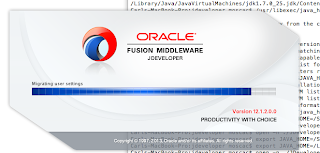
JDeveloper 12c on OS X
Image
It's pretty cool that JDeveloper is now a NetBeans platform app .  Wanting to give it a quick look on OS X I downloaded the Java edition generic installation. Unfortunately after unzipping it and placing it in Applications, it would not launch. Trying from the command line using this command open -n ./JDeveloper.app gave me a error: LSOpenURLsWithRole() failed with error -10810 for the file /Applications/jdeveloper/JDeveloper.app. Given past history trying to get JDeveloper going on OS X I thought I might try the JAVA_HOME environment variable first. First I checked which versions are available with this command: /usr/libexec/java_home -V this was the output: Matching Java Virtual Machines (5):     1.7.0_25, x86_64: "Java SE 7" /Library/Java/JavaVirtualMachines/jdk1.7.0_25.jdk/Contents/Home     1.7.0_21, x86_64: "Java SE 7" /Library/Java/JavaVirtualMachines/jdk1.7.0_21.jdk/Contents/Home     1.7.0_17, x86_64: "Java SE 7" /Li...

JDeveloper on OS X

Image
When I have time I try to keep up with a variety of IDEs.  JDeveloper is one I have mentioned before (and encountered OS X installation difficulty before as well).  I don't disklike it although it still seems a bit bloated to me but I have not yet tried to tweak the settings. This time ADF was my main reason to give JDeveloper another look.  I downloaded the Generic version because I intended to run it on a Mac (running OS X 10.8.3).  Being a command-line guy my first attempt was a simple java -jar jdevstudio11123install.jar Unfortunately after the initial splash screen, this resulted in a small dialog box with a Exit button.  I could not maximize it to complete the installation process. Next I tried to launch the jar file via the GUI which gave the same results.  Looking around the web, I did find several solutions for this problem but some seemed complicated while others did not address this particular issue.  [My own previous soluti...